
The Indian Fan's Guide to JioHotstar in 2026
JioHotstar is India’s streaming platform for TV shows, movies, specials, live cricket and selected football coverage, created by combining JioCinema and Disney+ Hotstar in February It brings Indian or...
The Indian Fan's Guide to JioHotstar in 2026
JioHotstar is India’s streaming platform for TV shows, movies, specials, live cricket and selected football coverage, created by combining JioCinema and Disney+ Hotstar in February 2025. It brings Indian originals, Disney titles, HBO content, regional programming and major sports into one service, subject to current rights and location limits. Viewers can watch through the JioHotstar website, Android and iOS applications, supported smart TVs, streaming devices and compatible set-top boxes. The catalogue changes by language, subscription tier, device and broadcasting agreement. Live sports may also use adaptive video quality, so a stable connection matters more than a premium screen. Before paying, check the current plan page, confirm the event is listed in your region, and test playback on your main device. That simple sequence prevents the mistake I have made too often: subscribing first, checking availability second.

Photo by Ketut Subiyanto on Pexels
JioHotstar is now the practical starting point for Indian viewers who want entertainment and sport under one login. The merger matters because JioCinema users and Disney+ Hotstar users did not simply receive a cosmetic redesign; they entered a larger, reorganised catalogue with different rights, interfaces and plan rules. Tactical Review focuses on the part that affects real viewing: what you can watch, where you can watch it, and what can fail at the worst possible moment. First, identify your priority. Then match it to the correct access route. Finally, test the app before a major cricket or football fixture. For broader tournament context, compare this with our [Internal Link: 2026 World Cup viewing guide], especially if your schedule depends on international kick-off times.
Want a practical starting point?
If you want TV shows and movies: build your watchlist first
JioHotstar is strongest as a broad entertainment service when you use its language filters, genre categories, search tools and personalised recommendations together. The platform can include Hindi, Tamil, Telugu, Malayalam, Kannada, Bengali and Marathi programming, alongside English-language films and international series. Availability is not permanent. A title can disappear when a licence expires, move between tiers, or become unavailable outside India. Check the title page rather than trusting an old search result, and save important episodes before a long journey only if the application supports that download option under your plan.
The entertainment catalogue covers several distinct viewing habits:
- Indian serials and originals: Useful for viewers following daily or weekly releases.
- Movies and regional cinema: Search by language, not only by actor or English title.
- International entertainment: Disney, Pixar, Marvel and selected studio content may appear, but the exact catalogue can change.
- Specials and events: Comedy, music, award shows and cultural programmes often have separate release schedules.
The key distinction is catalogue size versus useful catalogue access. A large homepage does not guarantee that your preferred film is included in the cheapest tier. I learned this after paying for a service based on a promotional banner and discovering that the specific premiere required a different entitlement. JioHotstar’s official website is the better reference because it shows the current service environment rather than a copied third-party list. If you are comparing platforms, our [Internal Link: streaming subscription comparison] can help you separate headline libraries from actual viewing value.
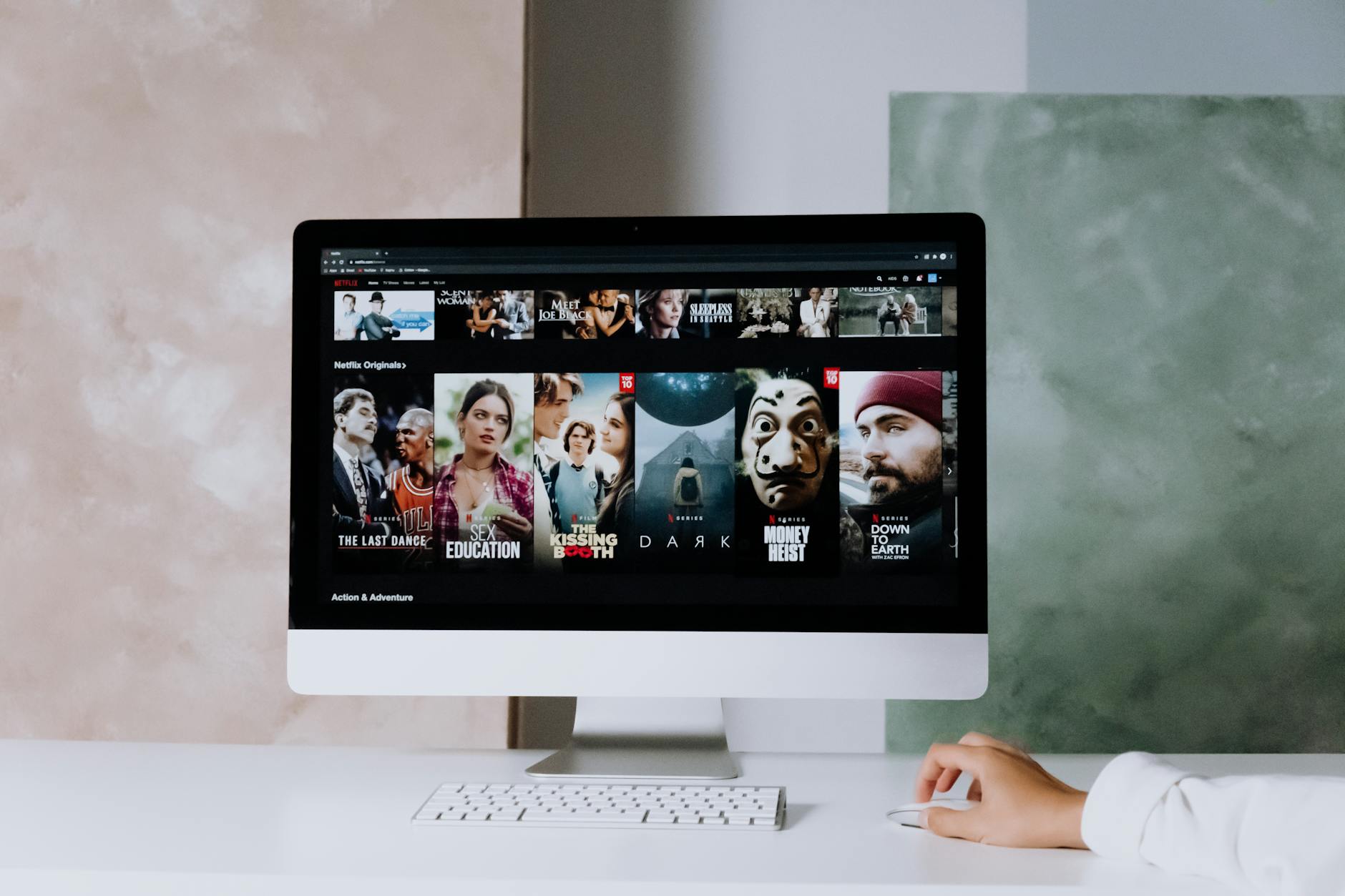
Photo by cottonbro studio on Pexels
If you watch on several screens, review account and device rules before sharing access. Plans may differ by resolution, concurrent streams, advertising, mobile access and supported devices. Those details matter more than a small monthly price difference when two people want to watch a serial and a live match at the same time. Confirm whether your television runs Android TV, Google TV, Samsung Tizen, LG webOS or another supported system, then install the official application from its recognised store. Avoid unofficial APK files. They create security and update problems, and no match is worth compromising your account.
If you follow live cricket: prepare before the toss
Live cricket on JioHotstar depends on current broadcast rights, region and event scheduling, so the safest method is to search the exact tournament or fixture on the platform before match day. Cricket coverage can include live matches, score information, highlights, replays, analysis and language feeds, but not every competition uses the same presentation. The International Cricket Council governs major international tournaments, while domestic rights may involve the Board of Control for Cricket in India and separate competition agreements. Rights are commercial, not permanent.
Use this match-day sequence:
- Search the teams and tournament separately.
- Confirm the listing says “Live,” not only “Highlights” or “Replay.”
- Open the stream 10 to 15 minutes early.
- Select the commentary language before play begins.
- Test picture quality on mobile data and Wi-Fi if you may travel.
- Keep the official app updated and close unnecessary background downloads.
The operational edge is bandwidth planning. A 4K-capable television can still show buffering if another device is uploading photographs, a router is switching bands, or the network is crowded during a high-profile India fixture. Start with automatic quality, then move upward only after the stream stabilises. JioHotstar may adapt resolution to connection conditions; forcing the highest setting can create more interruptions, not a better match. The International Cricket Council provides official competition information, but the streaming entitlement still belongs to the broadcaster listed for your market.
Get the viewing checklist before the next major fixture.
If you track live football: verify the competition and territory
Football availability on JioHotstar is more fragmented than many viewers expect. One service may carry a tournament in one country, a different provider may hold it elsewhere, and the rights can vary between live matches, highlights and delayed replays. Before subscribing for football, search the specific competition, such as the UEFA Champions League, FIFA World Cup, Premier League or Indian Super League, and confirm the event card for India. Do not assume that a football category means every match is included.
A reliable football check has three stages:
- Competition check: Identify the exact tournament and season.
- Territory check: Confirm India is the permitted viewing market.
- Product check: Distinguish live coverage from clips, previews and post-match analysis.
Time zones create another avoidable failure. A match listed on a European organiser’s page may show Central European Time, while JioHotstar displays Indian Standard Time or a localised schedule. Use the fixture page as the final authority. UEFA and FIFA publish official competition schedules, but they do not automatically confirm the platform carrying the Indian broadcast. Tactical Review recommends setting two reminders: one for the listed start time and another 15 minutes earlier for login and playback testing.

Photo by Franco Monsalvo on Pexels
For predictions and tactical viewing, watch the pre-match build-up, not only the ninety minutes. Line-ups, formation changes and substitutions often explain the odds movement that casual viewers miss. However, responsible analysis requires limits. Never treat a streaming service, sports statistic or match prediction as a guarantee of profit. Use our [Internal Link: football tactics and match analysis guide] to study shape, pressing and player roles without confusing entertainment with certainty.
Common pitfalls to avoid
The most common JioHotstar problems are not mysterious. They usually involve rights assumptions, account limits, outdated applications, unstable networks or incorrect regional settings. Fix the cause in order. Reinstalling the app first wastes time when the match simply is not licensed for your market.
Watch for these failures:
- The title appears but will not play: The content may require another tier, have expired rights or be restricted by location.
- The live stream buffers: Test the router, reduce video quality and pause other downloads.
- The app crashes on a television: Update the operating system and application, then restart the device.
- Login verification fails: Check the registered mobile number, SMS reception and account details.
- A download disappears: Offline viewing may have expiry, device or plan restrictions.
- Audio and video drift apart: Exit the stream, reopen it and test another quality level.
- Too many devices are active: Sign out of unused sessions and review account controls.
If the issue continues, record the programme name, device model, application version, connection type and exact error message before contacting JioHotstar Help. That evidence is more useful than writing “it does not work.” Also check the service’s privacy and account policies. The Telecom Regulatory Authority of India publishes consumer-facing information about India’s communications environment, but platform-specific billing and access rules remain JioHotstar’s responsibility.
A hard lesson: never test a new television, router or subscription for the first time during a World Cup knockout match. Test it on an ordinary evening. Ordinary evenings expose problems cheaply.
See the troubleshooting path in one place.
The 30-day check-in
After 30 days, judge JioHotstar by actual viewing rather than the launch catalogue. Count how many live matches you watched, how often you used movies or series, which devices worked reliably, and whether advertising or stream limits affected your routine. Then compare that record with the renewal price and the alternatives available in your region. A subscription that delivered one important tournament may be excellent for a month and poor value afterward.
Use this review:
- Record three favourite programmes and confirm they remain available.
- Check whether upcoming cricket or football rights match your schedule.
- Review simultaneous-stream performance across your household.
- Test downloads before travel, not at the airport.
- Cancel or change the plan before the renewal date if usage has fallen.
- Keep a separate budget for entertainment and sports-related spending.
The best JioHotstar setup is not necessarily the most expensive one. It is the plan that covers your actual screens, preferred languages, sports rights and viewing frequency. For World Cup 2026 followers, rights and match schedules deserve particular attention because FIFA tournament coverage is market-specific and can change through official broadcaster announcements. Tactical Review will continue tracking team tactics, player statistics and tournament developments, but the final stream check belongs with you.

Photo by Jakub Zerdzicki on Pexels
My conclusion is simple. First verify the event. Then verify the plan. Finally verify the device and connection. That sequence protects your money and your match night better than any glossy feature list.
Ready to make your viewing setup more deliberate?
Frequently Asked Questions
Q: What is JioHotstar?
A: JioHotstar is an India-focused streaming platform for TV shows, movies, specials and selected live sports. It was launched in February 2025 through the combination of JioCinema and Disney+ Hotstar, bringing Indian, regional and international programming into one service. The exact catalogue depends on licensing agreements, subscription access, device support and viewing location. A title visible in a search result is not necessarily available for every account, so open its programme page before subscribing.
Q: How do I watch live cricket on JioHotstar?
A: Search for the exact cricket tournament or fixture, open the event page, and choose the live stream when it becomes available. Sign in beforehand, update the application, and test your internet connection at least 10 minutes before the scheduled start. Commentary languages, resolution and replay options can vary by event. If the page shows only highlights, the match may not be included in your territory or current plan.
Q: Can I watch football on JioHotstar?
A: You can watch football on JioHotstar only when the relevant competition’s Indian broadcast rights are available on the platform. Search the exact tournament and season instead of relying on the general football category. UEFA, FIFA, domestic leagues and other competitions negotiate separate rights, so coverage is not universal. Check whether the listing says live, replay or highlights, and compare the displayed time with Indian Standard Time.
Q: Is JioHotstar free, and how much does it cost?
A: JioHotstar may offer selected content through free or advertising-supported access, while premium programming and some live sports require a paid plan. Prices, advertising rules, resolution limits and device access can change, so the current official plan page is the only reliable price source. Check the renewal date and supported screens before paying. Do not choose a plan solely because its monthly price is lower; simultaneous viewing and sports access may matter more.
Q: Why does JioHotstar keep buffering during live cricket?
A: Buffering usually results from network congestion, weak Wi-Fi, excessive video quality or competing downloads. Move closer to the router, pause other traffic, restart the app and use automatic quality before forcing HD or 4K. Test another network, such as mobile data, to identify whether the home connection is responsible. During major India matches, demand can be high, so testing before the toss gives you time to switch devices or connections.
Q: Can I download JioHotstar movies and shows for offline viewing?
A: Offline downloads may be available for eligible titles, devices and subscription tiers, but not every programme supports them. Open the title page, select the download option, and confirm the file remains inside the official application rather than the device’s normal video folder. Downloads can expire, require periodic account verification or disappear when licensing changes. Download over Wi-Fi, test playback before travel, and keep enough storage available.
Q: What is the difference between JioCinema and JioHotstar?
A: JioHotstar is the newer combined streaming service created from JioCinema and Disney+ Hotstar in February 2025. It reorganises entertainment and sports access under the JioHotstar brand, although catalogue availability and account entitlements may not be identical for every former user. Update or install the official JioHotstar application rather than relying on an old JioCinema workflow. Review the current plan, device and billing information after migration.
Thank you for reading.
Tactical Review · Editorial Archive